Albania
 Argentina
 Australia
 Austria
 Belgium
 Bosnia and Herzegovina
 Brazil
 Bulgaria
 Canada
 Chile
Chile
 Colombia
 Croatia
 Czech Republic
 Denmark
 Estonia
 Finland
 France
 Germany
 Greece
 Hungary
 Ireland
 Italy
Italy
 Latvia
 Lithuania
 Luxembourg
 Mexico
 Moldova
 Montenegro
 Netherlands
 New Zealand
 North Macedonia
 Norway
 Philippines
 Poland
 Portugal
 Romania
 Serbia
 Slovakia
 Slovenia
 South Africa
 Spain
Spain
 Sweden
 Switzerland
 Turkey
 Ukraine
 United Kingdom
 United States of America



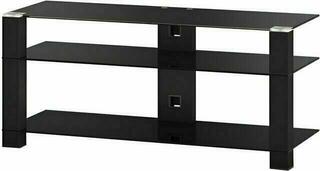
Hi-Fi / TV Tables
A Hi-Fi / TV stand provides space for a television, players, an amplifier and other electronics. When choosing one, consider its load capacity, the dimensions of both the furniture and the equipment, ventilation and access to connectors. It is also important to route power, video and audio cables without tension or sharp bends. The right arrangement depends on the specific setup, the available space and how often you change the connections.
Hi-Fi / TV stands for your setup and space
Make a list of the equipment the stand needs to support. In addition to a television, this may include a receiver, amplifier, player, console, networking equipment or components of Hi-Fi systems. Measure each item and decide whether the devices will sit next to each other or on separate shelves.
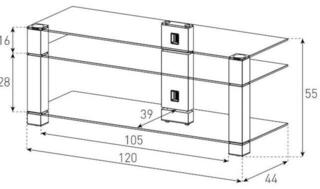
For the television, compare the position and spacing of its feet, or the dimensions of its central stand, with the usable area of the top panel. For shelves, check the internal width, height and depth, not only the external dimensions of the furniture. Allow for hinges, dividers, the rear panel, connectors and the natural bend of cables within the available space.
Load capacity and stability
Compare the weight of the television and components with the stated load capacity of both the top panel and each shelf. The stand's total load capacity does not mean that a single shelf can support the same load. Distribute heavier equipment evenly and follow the manufacturer's instructions for assembly, positioning and anchoring where required. The stand should remain stable on the floor even when doors or drawers are opened.
Ventilation and construction type
Amplifiers, receivers, consoles and other active equipment release heat during operation. Maintain the clearances specified in their manuals and do not cover ventilation openings. Assess airflow above the device, along its sides and through the rear of the furniture. If there are doors, check the ventilation gaps and also make sure that the material does not interfere with remote control signals.
Open and enclosed furniture
| Feature | Open stand | Enclosed stand |
|---|---|---|
| Ventilation | Air can circulate more freely if the shelves are not overcrowded. | It depends on the openings, gaps and rear-panel design. |
| Access | Side and rear connectors are generally easier to reach. | Dividers, doors or the rear panel may restrict access. |
| Cables | Cabling is more visible, but grommets and holders can help. | Some cables can be hidden, but they still require suitable outlets. |
| Operation | Displays, buttons and control signal receivers remain exposed. | You need to check how the doors open and whether control signals can pass through. |
| Maintenance | The equipment is directly accessible for cleaning. | Grilles and ventilation openings also need to be cleaned. |
Access to connectors and cable routing
Check which side of each device has the power, video, data and speaker connectors. Cable openings must accommodate the size of the plugs, not just the diameter of the cables. If the stand will be placed against a wall, allow for the depth of connected plugs and the space needed for cables to bend.
Group cables by direction and purpose so that both ends can be identified. Attach hook-and-loop ties, channels or holders in a way that allows connections to be changed later. Do not leave cable bundles hanging from connectors or blocking ventilation. Position the power strip so that it does not obstruct doors, shelves or airflow.
What to check before choosing
- Measure the space for the stand, including the room needed to open doors and drawers.
- Check the dimensions of the television base and the usable area of the top panel.
- Compare the weight of the equipment with the load capacity of the panel and individual shelves.
- Measure components together with their connectors, controls and the bend of their cables.
- Check the ventilation clearances specified in the equipment manuals.
- Assess the position, number and size of cable openings.
- Check access to rear ports during initial connection and later adjustments.
- For doors, check the opening direction and whether the remote control works.
- Consider the position of the wall socket and power strip, as well as space for accessories.
- Check the stand's stability and how adjustable shelves are secured.
Arrangement during use
Place frequently used controls and mechanisms at an accessible height. Leave room in front of a player for its mechanism to extend, and do not stack devices directly on top of one another unless their manuals permit it. Adjustable shelves can help when changing the setup, but always respect how they are secured and their load capacity. The arrangement should allow access to cables, cleaning around the equipment and connection changes without moving the entire setup.